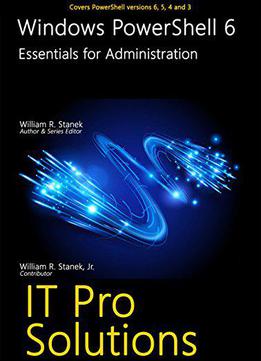
Windows Powershell 6 (it Pro Solutions)
by William Stanek /
2017 / English / AZW3
869.3 KB Download
Finally a PowerShell book covering all current versions for all current Windows and Windows Server operating systems!
This hands-on, personalized guide to Windows PowerShell, covers all release versions including versions 6, 5, 4 and 3 for Windows Server 2016, 2012 R2, 2012 as well as Windows 10, 8.1 and 7.
Practical and precise, this hands-on guide with ready answers is designed for IT professionals working with Microsoft products, whether for on-premises, hybrid or cloud support. Inside, you'll find expert insights, tips, tricks and workarounds that will show you how to make the most of Windows PowerShell in the shortest amount of time possible. During the course of reading this book, you will master a number of complex topics, techniques, commands and functions.
This book, Windows PowerShell 6, is designed to be used with Windows PowerShell 6: Essentials for Administration. While this book focuses on core functionality, including:
Passing startup parameters and initializing the environment
Creating and using scripts for everyday tasks
Parsing values, output streams and formatting output
Creating and using profiles, aliases and other shortcuts
Using snap-ins, providers, and modules
Enabling remoting, executing remote commands and establishing sessions
Creating background jobs and scheduling them to run automatically
Using expressions and operators
Working with variables, arrays, strings and other PowerShell structures
Creating aliases and functions
Understanding object types, methods and properties
Creating and using objects
Using transcripts to record activities at the prompt
Executing blocks of commands as transactions
Performing conditional execution with If statements
Checking for multiple conditions with switch
Controlling the flow of execution using loops
The latter book focuses on administration tasks, such as:
Using PowerShell to install roles and features on Windows
Inventorying and evaluating computers using scripting
Working with PowerShell drives, directories and files
Reading and writing file contents
Getting and setting security descriptors
Creating access rules and taking ownership
Configuring file and directory auditing
Navigating the Windows Registry
Creating and managing registry keys
Comparing registry keys
Viewing and filtering event logs
Setting event log options
Writing custom events
Managing the state of system services
Configuring service options, such as logon and recovery
Joining computers to a domain
Renaming computers
Restarting or shutting down computers remotely
Enabling or disabling system restore
Creating and using checkpoints
Recovering from restore points
Examining running processes
Analyzing computer performance
Monitoring resource usage
Using the books together, you can answer most of the everyday questions you’ll have with Windows PowerShell.
Not only will this informative training manual help you become familiar with many new ideas, it'll help you master Windows PowerShell in the shortest amount of time possible. After completing your Windows PowerShell journey with this in-depth guide, you will be better prepared to support Microsoft products regardless of whether you are working in an on-premises, online or hybrid environment.
Get the focused information you need to solve problems and get the job done.